
Your clients' property portfolio, in one place: how Brikfolio helps Business advisers
Every client brings a different pile of paper
At tax time, at a review meeting, or before a refinance, you ask your property-investor clients for the same things. Settlement statements. Property manager statements. Loan details. A depreciation schedule. The lease.
They arrive late and in pieces, spread across emails and PDFs. You spend paid time chasing and re-keying before the real advice starts.
Brikfolio puts that information into one record per property. You and your client work from the same numbers, and every number shows where it came from.
What Brikfolio is, and what it isn’t
Brikfolio is a portfolio platform for Australian residential property investors. It keeps each property’s value, loans, rent, expenses, depreciation, owners and documents together. It is built for Australian rules: financial years, ABN/ACN/TFN, GST and Division 40/43 depreciation.
Brikfolio doesn’t replace you. It helps your client keep their portfolio data in one place and share what they choose with the experts they already trust. That includes you.
Brikfolio is software. Its figures are planning estimates. They are not financial advice, lender approval or a tax position. The judgement stays with you.
How you bring a client on board
You can set up a client’s portfolio for them, so they start with their numbers already in place.
- Join as an adviser. Apply on the Join as an adviser page. We check your registration number against the public ASIC and Tax Practitioners Board registers.
- Add the client. Enter their name and email and choose the areas you’d like to share. Each adviser type starts with sensible defaults.
- Build a private draft. With your client’s permission, drop in their settlement statements, leases, property manager statements and depreciation schedules. Brikfolio reads them, and you check the figures before anything is saved. The client can’t see the draft yet.
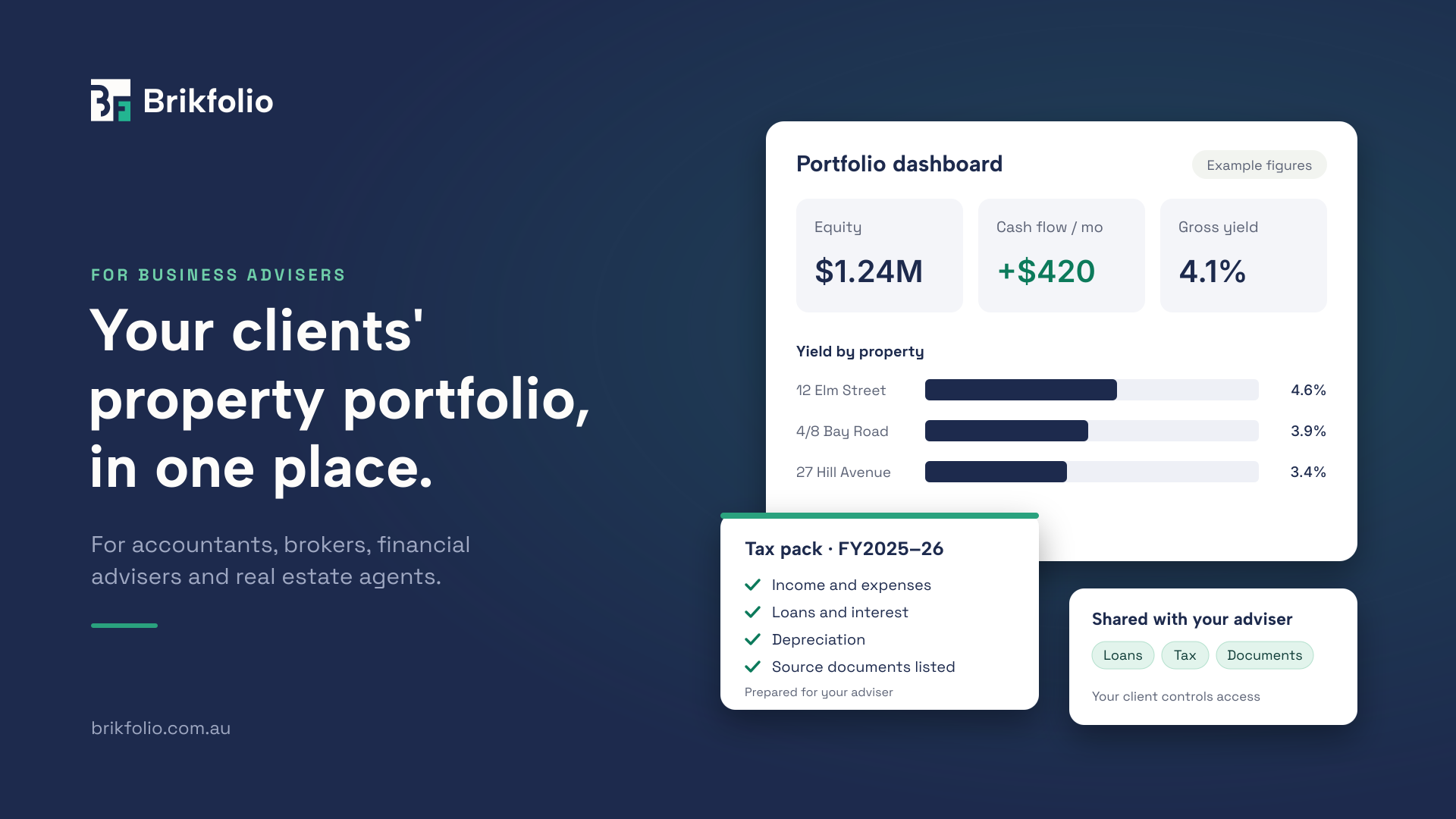
- Show them one property in full. Mark one property as the showcase. Sit with your client and walk through its value, equity, LVR, yield, cash flow, projection and tax pack.
- Send the invite. Your client confirms it’s them, reviews the draft item by item, and accepts.
- Work together. You see only the areas your client allows. They can change or remove your access at any time.
It works the other way too. A client already on Brikfolio can invite you from their profile.
What your clients get
Your clients get a clear view of their whole portfolio, and a place to test a decision before they make it.
| Capability | What it does for your client |
|---|---|
| Portfolio dashboard | Value, equity, debt, yield and cash flow across everything they own, by financial or calendar year. |
| Portfolio health | A plain-English verdict on cash flow, leverage and occupancy, with an 80% LVR line on every property. |
| Property 360 | One property in full: overview, loans, valuations, tenancy, finance, tax, documents and owners. |
| Document import | Brikfolio reads settlement statements, property manager statements, depreciation schedules and leases. Each figure links back to its PDF. |
| Cash-flow analysis | What each property earned, spent and repaid, with this year beside last year. |
| Loans | Every loan with its own month-by-month schedule, including offset accounts, fixed-rate expiries, rate changes and extra repayments. |
| Valuations | A dated history of what each property was worth, and who said so. |
| Data health | A to-do list of what’s missing, with a link to fix each item. |
| Tax pack | One property, one financial year: income, expenses, loans, depreciation and cost base, with the source documents listed. |
| Scenario Studio | “What if?” compared with “do nothing”: rate rises, interest-only ending, a refinance and cash runway. |
Every figure Brikfolio works out carries a note explaining how it was calculated. Where something isn’t known, Brikfolio says “not recorded”. It never shows a confident $0.
What it means for your practice
Accountants. End-of-year work starts from a tax pack, not a shoebox. Each pack covers one property for one financial year and lists the documents behind it. It opens with an estimated rental result, clearly labelled as an estimate. It’s an input to your work, not a substitute for it. When you download a pack, it’s stamped “Prepared for” with your name and the date.
Mortgage brokers. Your client’s loans are already recorded, including offset balances, fixed-rate expiries and cross-collateral security. In Scenario Studio you can show what a rate rise does to their cash flow. You can also compare a refinance after every cost, including when it pays for itself. A typical stress result reads: “You can absorb a rate rise of +1.25% before yearly cash flow goes below zero.” (Example figure.)
Financial advisers. You see equity, debt, yield and cash flow across the whole portfolio. A scenario sets your client’s assumptions against “do nothing”, including how long their cash would last if rent stopped or costs jumped.
Real estate agents. You see the properties, the valuation history and the tenancy details your client chooses to share. That gives you current facts for an appraisal or a rent review.
For every adviser, client meetings get shorter and more useful. You both look at the same screen, the same numbers and the same sources.
Built on your client’s permission
Your client stays in control of their data, and that protects your relationship too.
- The client decides. They choose which areas you see and whether you can change data. They can update or remove your access at any time.
- Advisers are checked. Applications are checked against the public ASIC and Tax Practitioners Board registers. An admin approves each one.
- Drafts stay private. The client sees nothing until they accept. If an invite goes unanswered for 60 days, the draft is deleted.
- Nothing is saved unseen. Every figure read from a document is shown for review before it’s saved, and it keeps a link to its source.
- Edits are confirmed. You confirm each change before it’s saved.
Get started
Advisers use Brikfolio free. Your clients pay for their own subscription.
Apply on the Join as an adviser page [link to be added]. Once you’re approved, add your first client and build their draft. Questions? Email support@brikfolio.com.au.
Important information
Brikfolio is software provided by AirAi Pty Ltd ABN 37 680 869 845, trading as Brikfolio. It does not give financial, investment, tax, accounting, lending, legal or valuation advice. Reports, forecasts, scenarios and tax packs are planning estimates for information only. They are not lender approval, pre-approval, a borrowing-capacity assessment or a tax return. Figures marked “example” are illustrative only. Use of Brikfolio by advisers is subject to the Brikfolio Adviser Terms of Use.